Start the right clock, automatically
Pick the project's form of contract once. Every hindrance logged afterwards gets its notice, claim, response and determination deadlines calculated — on calendar or business days, as the contract requires.
Log every hindrance the day it happens, and BuildCore starts the right contractual clocks for your form of contract — CPWD, NHAI, Indian Railways, FIDIC or NEC4. It sweeps every deadline daily on both sides, drafts the letters, and assembles the evidence an extension of time will need.
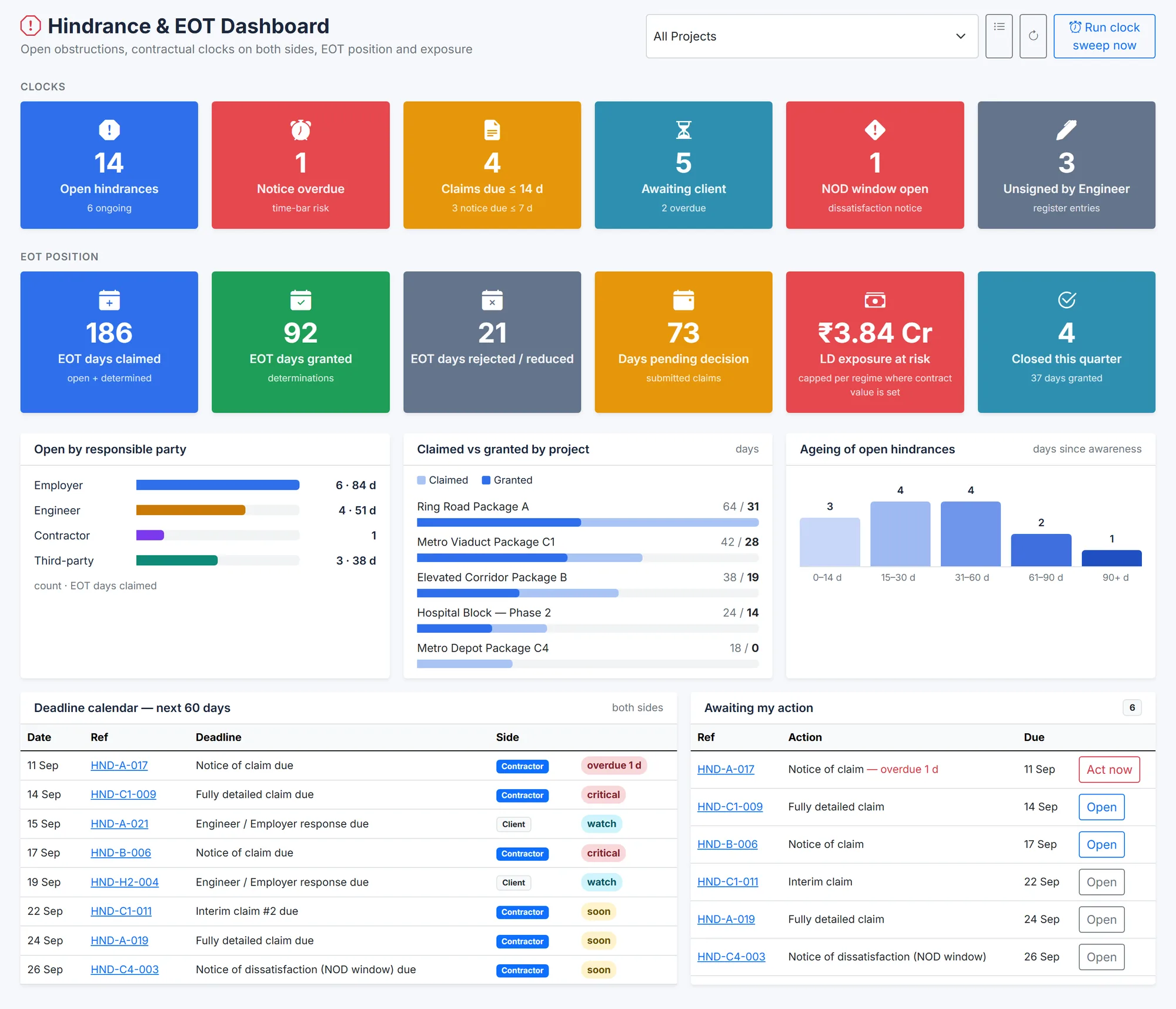
Site teams record hindrances in diaries and spreadsheets. The contract counts days from the event. When the EOT application finally goes in, the notice clock has often already run — and the damages clock has not.
Pick the project's form of contract once. Every hindrance logged afterwards gets its notice, claim, response and determination deadlines calculated — on calendar or business days, as the contract requires.
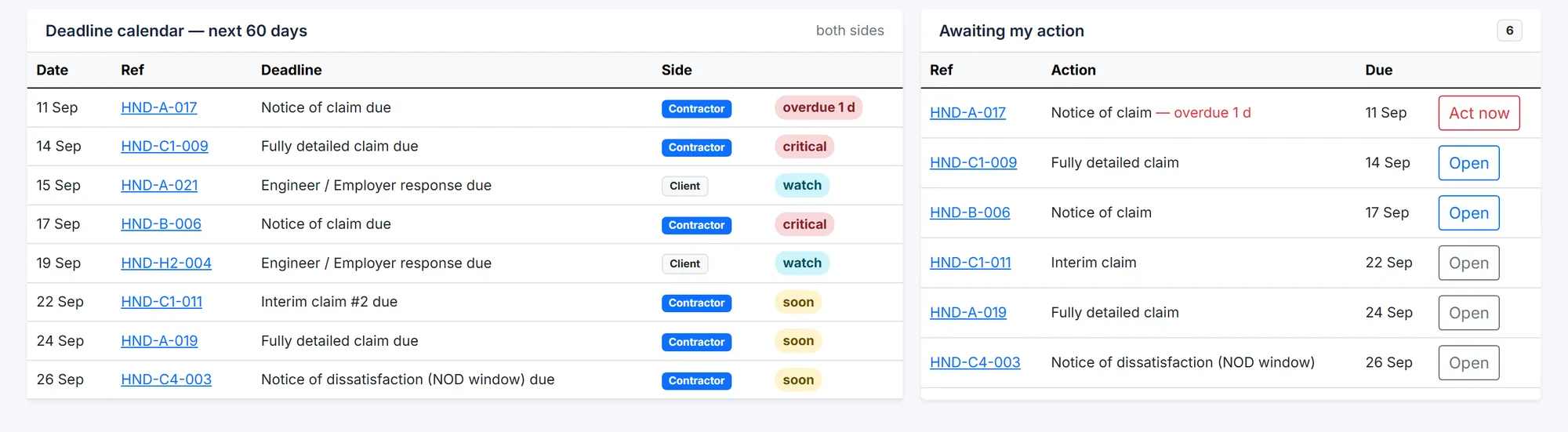
A daily sweep checks every open clock — yours, and the Engineer's or Employer's obligation to reply or decide. Silence on their side is a fact worth recording too.
Link each hindrance to the affected schedule activity, with its float at the time of the event, and to the daily reports that show idle resources.
Each preset fills in the defaults below. Every clock can then be edited to match your contract's particular conditions.
| Form of contract | Notice | What else the preset tracks |
|---|---|---|
| CPWD GCC 2023 | Immediate written notice (Cl. 5.2 / 5.3) | EOT application on Appendix XVI within 14 days (Cl. 5.4); decision within 21 days (Cl. 5.4.1); Engineer-in-Charge reply to the hindrance notice within 10 days; compensation up to 1% a month, capped at 10% (Cl. 2) |
| NHAI / MoRTH EPC 2022 | 15 business days, with particulars (Art. 10.5(ii)) | Authority's Engineer clarifications within 15 days, reply within 10, determination within 30 (Art. 10.5(iv)); interim claims by the 10th of the month; final within 30 days (Art. 10.5(v)); force majeure notice within 10 days (Art. 21.5) |
| NHAI HAM | 15 business days | The same article structure as the EPC agreement; damages of 0.1% of the Performance Security per day after a 30-day grace period |
| Indian Railways GCC 2022 | Within 15 days (Cl. 17A(ii)) | EOT application not less than one month before the completion date; liquidated damages on a sliding scale capped at 5% (Cl. 17B) |
| FIDIC 2017 | 28 days from awareness (Sub-Cl. 20.2.1) | Engineer may object within 14 days, otherwise deemed valid (20.2.2); fully detailed claim within 84 days (20.2.4); agreement 42 days, then determination 42 days (3.7); notice of dissatisfaction within 28 days (3.7.5) |
| FIDIC 1999 | 28 days from awareness (Sub-Cl. 20.1) | Fully detailed claim within 42 days; interim claims monthly; final claim within 28 days after the effect ends; Engineer responds within 42 days |
| NEC4 ECC | 8 weeks (Cl. 61.3) | Project Manager's reply in 1 week; quotation within 3 weeks (Cl. 62.3); Project Manager's reply in 2 weeks; deemed acceptance after a further 2 weeks' notice |
| Custom | Any | For private clients and other conditions of contract — set every clock yourself |
Highway contractors on NHAI EPC and HAM agreements, building contractors on CPWD work, and railway contractors on Indian Railways GCC — with GST, TDS and customs in the same platform.
ADB-, World Bank- and JICA-funded packages across South Asia, South-East Asia and Africa, where FIDIC's harmonised conditions apply.
NEC4 ECC compensation events preset; JBCC and GCC contracts configured with the custom regime.
A hindrance register records every event that delays or disrupts the work — late drawings, site not handed over, utility shifting, stoppages ordered by the client. On Indian government contracts it is the basis for any extension of time, so each entry needs a date, a cause, the work affected and, ideally, the client's acknowledgement.
The CPWD GCC 2023 preset tracks the EOT application on Appendix XVI within 14 days of the hindrance (Cl. 5.4) and the decision within 21 days. Letters are drafted from templates you set up with merge fields from the hindrance record.
Yes. You send a secure link that allows only the actions you choose — acknowledge, record a determination, or counter-sign. Each response is confirmed with a one-time code sent to the recipient's email address.
Yes. A preset only fills in the defaults. Every clock can be edited per project to match the particular conditions of your contract, and a fully custom regime is available for private clients.
We will set the project's contract regime, log the hindrance, and show you its clocks, the letter and the evidence pack.