Live, not monthly
Dashboards read the current schedule directly from the P6 database — no exports, no re-keying.
BuildCore connects to your Primavera P6 database and turns the schedule into live portfolio, progress, cost and resource dashboards. It reads the schedule and never writes to it — your planners keep P6 as the single source of schedule truth.
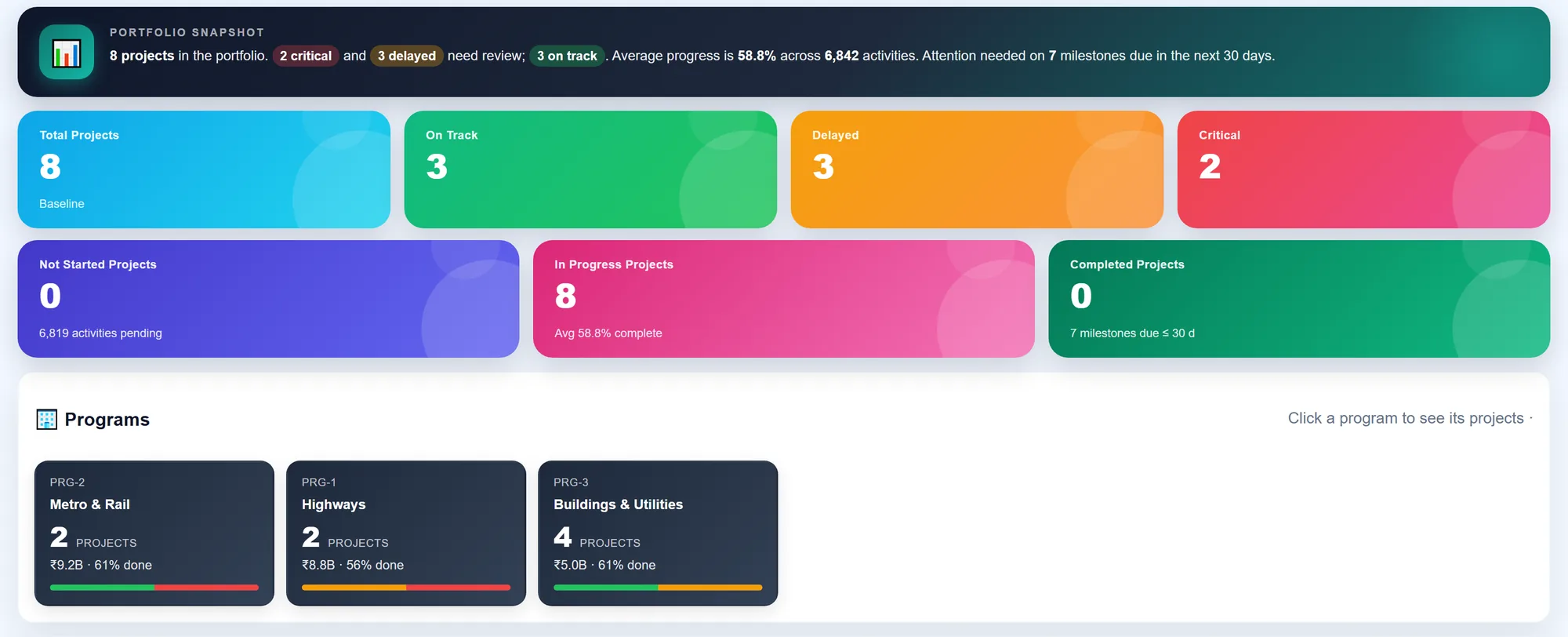
Project directors want to know which projects are slipping, what is critical this week and where the money is going. Answering that from P6 usually means exported layouts, spreadsheets and slides — a week out of date by the time they are read.
Dashboards read the current schedule directly from the P6 database — no exports, no re-keying.
BuildCore never writes to P6. Planning keeps control of the schedule; everyone else gets to see it.
Start at the whole portfolio and drill down through project and WBS to a single activity and its resource assignments.
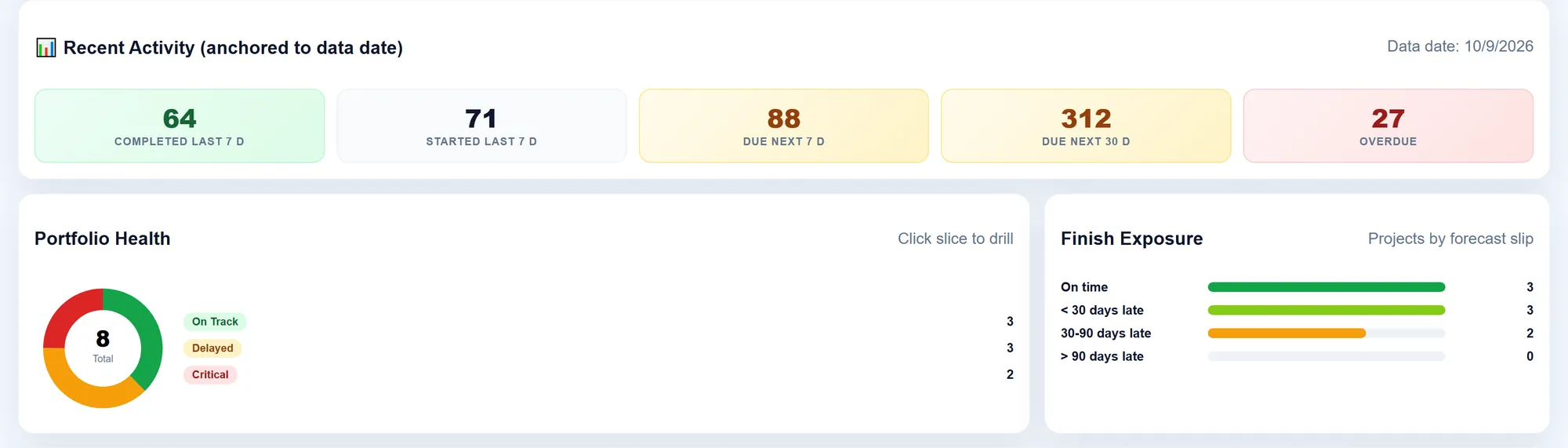
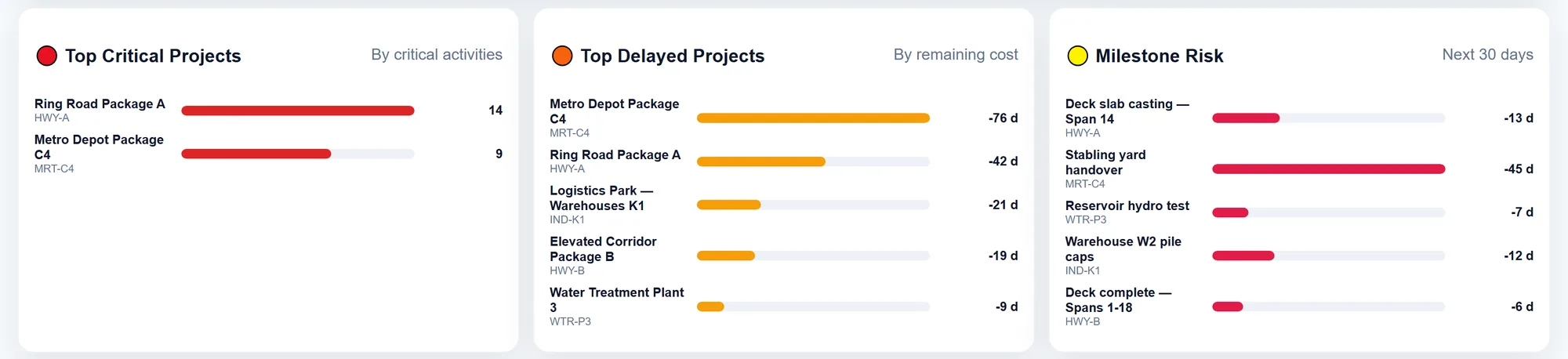
Portfolio progress and its movement over the last seven days, the most critical and most delayed projects, delayed and upcoming milestones, and programme roll-ups.
Planned against actual progress as an S-curve with its KPIs, and every milestone with its status and delay.
Critical-path activities, zero-float and negative-float activities, float distribution and a look-ahead of what is coming up next.
Earned value, actual cost, SPI, CPI and cost variance, with cost waterfall, cost burn, WBS cost rows and cost outliers.
Activities missing logic, open constraints, out-of-sequence actuals, zero and negative float — rolled into a quality score, so a weak schedule is spotted before it is reported on.
Resource load and demand, over-allocation, forecasts by period and category — and suggestions to move a resource that comes free on one project to another project that needs it.
| Live P6 dashboards | XER schedule import | |
|---|---|---|
| How | A read-only connection to your P6 database, with credentials stored encrypted | Upload an XER export from P6 |
| P6 databases | SQL Server-hosted P6. Oracle-hosted P6 and the P6 web services are not supported today. | Any P6 that can export XER — including Oracle-hosted and cloud |
| What you get | All the dashboards above, always current | Activities, WBS and calendars in BuildCore's project schedule, with baselines, progress by date, critical path and look-ahead; WBS matched to BuildCore's by code |
| Writes to P6 | Never | Never |
Link a hindrance to the affected activity and capture its float at the event — the evidence an extension-of-time claim needs.
Daily progress reports, method statements, resources and a constraints log alongside the imported schedule.
Cross-module dashboards that sit beside the schedule: documents, quality, safety and commercial.
No. The live connection only reads from the P6 database, and XER import only reads the file. Your planners keep P6 as the single source of schedule truth.
Yes, through XER import: export from P6 and upload the file, and the schedule comes into BuildCore's project schedule with critical path and look-ahead. The live dashboards currently connect to SQL Server-hosted P6 databases only.
The live dashboards query the P6 database when they are opened, so they show the schedule as it stands in P6 at that moment.
The live dashboards show planned against actual progress, schedule variance and delays. Baselines are kept for schedules brought in by XER import. If a specific baseline-comparison report matters to you, tell us — we would rather confirm it on your data than promise it here.
Send us an XER, or connect a test copy of your SQL Server P6 database, and we will walk your project directors through their own programme.